
QuickBooks Online for Solo Operators — A Plain-English Guide
Published August 2026 · Last verified November 2026
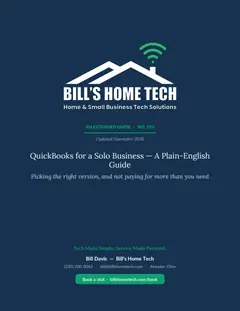
Want the whole picture? Read the free QuickBooks Online Complete Manual →
For the hair stylist, the mobile mechanic, the in-home contractor — written in plain English, not accountant-ese. The shoebox-to-spreadsheet upgrade that pays for itself in the first January.
What's inside the printable PDF
- QBO Simple Start vs. Essentials vs. Plus — which one a solo actually needs
- Wave, FreshBooks, and the shoebox — when each one is the right pick
- Day-one setup — accounts, settings, the right email to use
- Connecting your bank and categorizing your first 30 transactions
- The chart of accounts — keep it simple, here are the 15 categories most solos need
- Invoicing — sending, getting paid, late-fee policy that doesn't lose customers
- Receipt capture on your phone — the 30-second workflow that kills the shoebox
- Mileage tracking — the rules for trades and in-home techs
- Quarterly estimated taxes — the calculation + when to pay
- 1099-NEC for subcontractors — when and how
- Year-end checklist — what to hand your accountant in January
- Pay yourself the right way (owner draw vs. reasonable comp for S-corps)
- Backup, export, and switching software without losing history
- 5 common mistakes that cost solos real money
- Bill's printable monthly close checklist
- Plain-English glossary (A/P, A/R, COGS, self-employment tax, etc.)
- Honest take on AI bookkeeping — what works, what's hype
The full guide is a printable PDF with real numbers, real workflows, and Bill's recommendations for solo operators in Portage County. Download it above — it's free, no email required, no signup.
Why I made this guide
Half the solos I service in Portage County still keep their books in a shoebox. They run great businesses — hair stylists with packed chairs, mechanics with three-week wait lists, contractors with full schedules — and they panic every April when the accountant calls.
QuickBooks Online costs about $38 a month. The right setup takes one Sunday afternoon. After that, it's 30 minutes a month and your shoebox is gone forever. That's the highest-ROI tech upgrade most solo shops can make.
No affiliate links. No accountant-speak. No upsells. Just plain English from the guy who sets it up for shops on Main Street.
— Bill Davis
Want me to do the setup with you?
Call (330) 200-8042 — remote help $49, in-home visit $99. QBO setup visits are $99 flat per-visit — no tiers, no surprises. Bank connected and first 30 transactions categorized together. 30-day come-back-free guarantee. Optional $39 Monthly Support Plan for unlimited phone & text help.
Was this guide helpful?
Thanks — that helps Bill keep these guides useful.
This guide is yours, free.
No sign-up, no email, no catch — it's free the way it looks free. Print it, save it, or share it with family. And if you'd rather hand the job off, the matching service and the ways to reach Bill are right above.
People who needed this also needed…
💬 Text me this guide
Want this guide’s link on your phone? Pop in your number and Bill will text it to you — handy for reading later or sharing with family.
We’ll only use your number to send this link. Standard message rates may apply. Reply STOP to opt out.
Any prices or outside products mentioned in this guide can change over time — the details here were last checked August 2026; please confirm current pricing before you buy. See how often we review our guides →